Does ZonitasCap work on low-end android phones
Here is the question nobody in gaming forums answers honestly. Not “does ZonitasCap work on low-end phones” but “does it work well enough to actually be worth it on a budget device?”
Those are two different questions. And the answer to the second one is more nuanced than the typical “yes it works on Android 5.0+” response you find everywhere.
The Good News First
ZonitasCap is genuinely lightweight. At 45 MB installed, it is smaller than most social media apps on your phone right now.
It does not demand a high-end processor, it does not require 6 GB of RAM, and it runs on Android 5.0 and above, which covers virtually every Android device manufactured since 2015.
The development team built ZonitasCap specifically with budget and mid-range devices in mind, largely because that is who actually plays Free Fire and COD Mobile in the highest numbers.
If you are on a device with 2 GB of RAM, a quad-core processor, and Android 7 or higher, ZonitasCap will install and open without any issues.
The app itself runs smoothly across that hardware range.
Which Features Work Best on Low-End Devices
This is the nuance that matters. Not every ZonitasCap feature performs equally on budget hardware.
The FPS boost and performance optimisation tools are actually the most valuable features on low-end devices, and they work exceptionally well.
This is because these features specifically exist to squeeze more performance out of limited hardware. They reduce background processes, adjust rendering settings, and clear memory allocation bottlenecks.
On a high-end phone, the difference is subtle. On a budget phone, the difference between playing with and without ZonitasCap’s FPS optimisation can be 15 to 25 additional frames per second.
That is transformative.
Sensitivity configuration tools also work perfectly on low-end hardware. These are essentially settings adjustments and they require almost no processing power.
The features that can strain budget devices are the graphics enhancement options pushed to their maximum settings.
Asking a low-end phone to render HD textures it was never designed to handle will cause lag regardless of what ZonitasCap is doing.
The solution is simple: use ZonitasCap’s graphics settings at moderate rather than maximum levels on budget hardware. You will still get a noticeably improved visual experience without the performance cost.
Real Performance Expectations
On a device like the Redmi 9A, Samsung Galaxy A03, or Tecno Spark 8, all common budget phones in the markets where Free Fire is most popular, ZonitasCap produces genuine, measurable improvements.
Frame rate stability improves. Input lag decreases. The game feels more responsive because ZonitasCap has cleared the RAM congestion that budget phones accumulate from background apps.
The aimbot and auto headshot features work functionally on budget hardware as well, though you may notice a slightly delayed activation response compared to a flagship device.
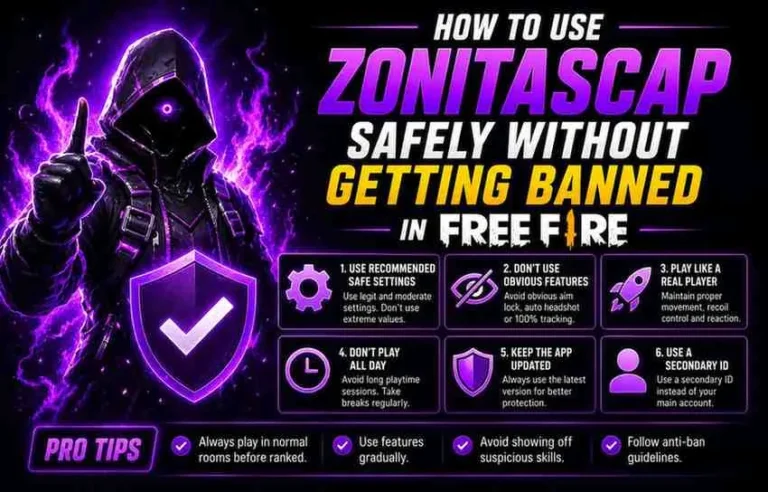
In practice, this is a fraction of a second and does not meaningfully impact the feature’s usefulness. Learn how to use ZonitasCap safely
Tips for Getting the Best Performance on a Budget Phone
One more thing worth knowing: the anti-ban and Safe Mode features on ZonitasCap consume almost no additional resources. There is no reason to disable them on a budget phone to save performance. How does ZonitasCap work ?
Keep them on. Always.